
FIFTY LINE
Parametric G-code generator for CNC lathes
Turn G-code is built on LinuxCNC, but it writes plain G-code — the language most CNC lathes understand. Enter the operation parameters in a form — get a ready G-code program, checked in a live 2D simulator, for 12 standard turning cycles.
For small shops
Not for factories with their own CAM systems — for operators of private, teaching, and hobby LinuxCNC lathes who need fast, simple program generation.
A form instead of hand-written G-code
Diameters, lengths, feeds, spindle speed — enter the operation parameters in a clear form and the program builds the G-code for you.
Live 2D simulator
The tool path is shown before the file is generated — catch a mistake on screen, not on the workpiece.
What the program looks like
The main window is your starting point: pick a machining cycle and the program opens its parameter form.
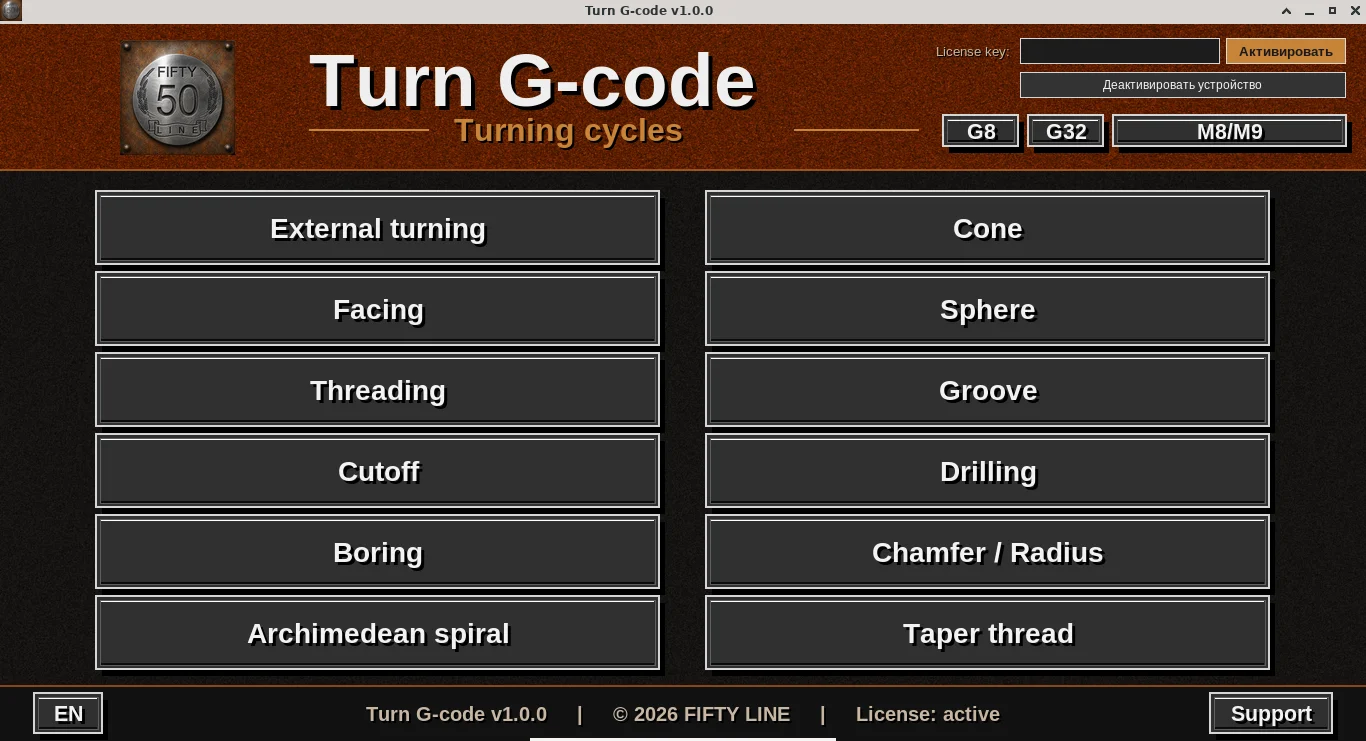
- 12 cycle buttons (External turning, Facing, Threading, and more) — each opens its own parameter form. What each cycle does is covered on theFeatures page.
- G8, G32, M8/M9 — global switches at the top: diameter/radius programming for the X axis, threading move syntax, and coolant M-codes. They apply to every cycle at once, no need to open each form separately.
- License key — where you activate a subscription key (see pricing).
- Bottom bar — program version, license status, interface language switch (RU/EN), and the Support button.
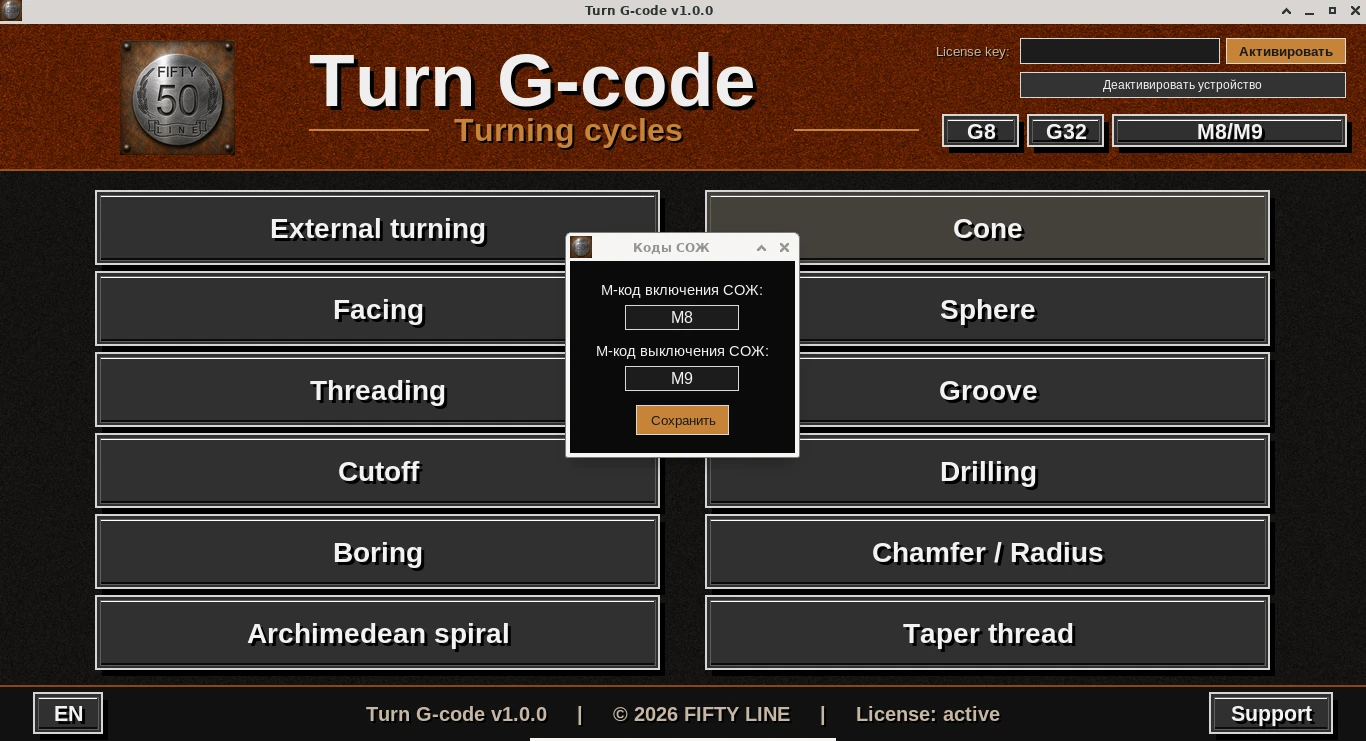
- "Coolant codes" dialog — opened with the same M8/M9 button on the top bar shown in the previous screenshot.
- Custom coolant M-codes — M8/M9 is the default, but here you can set any other coolant on/off M-codes to match a specific controller or postprocessor.
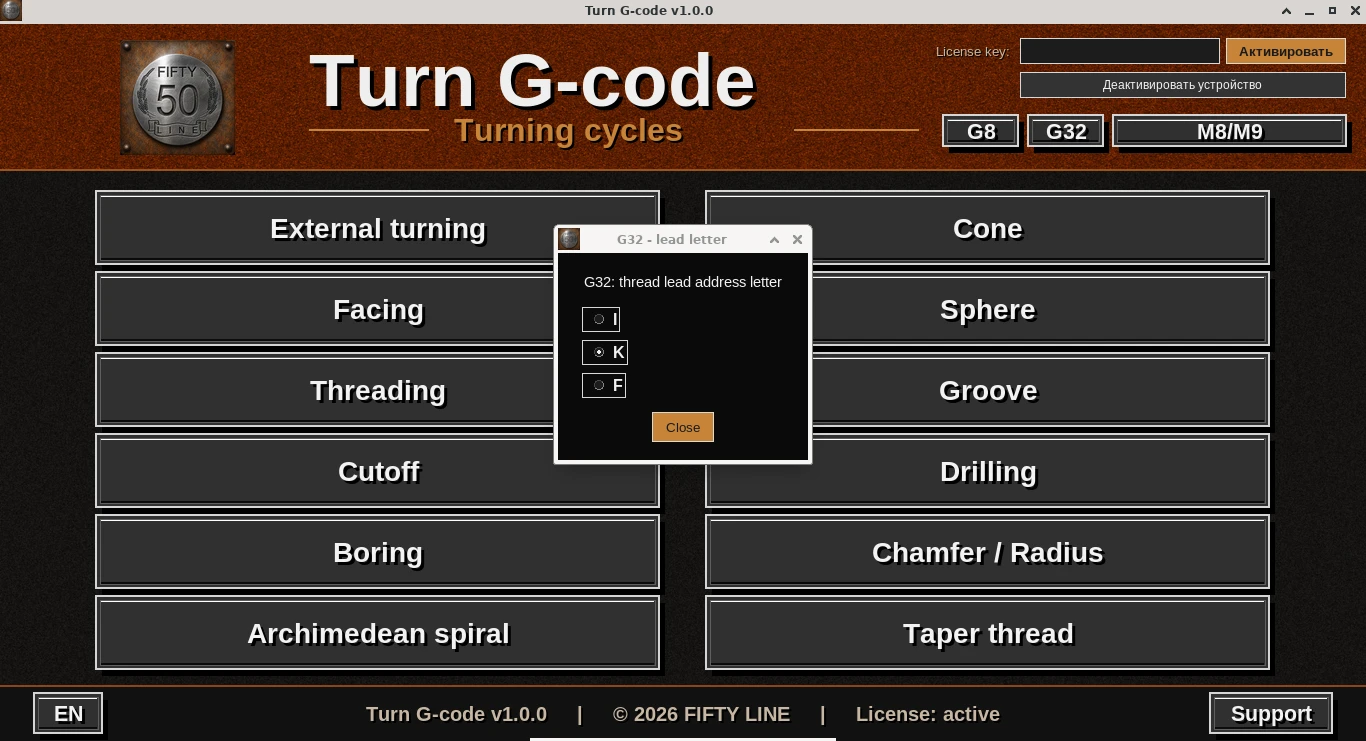
- "G32 – lead letter" dialog — opened with a double-click on the G32 button on the top bar.
- Thread lead address letter — choose I, K, or F for the G32/G33 threading move syntax, to match a specific controller.
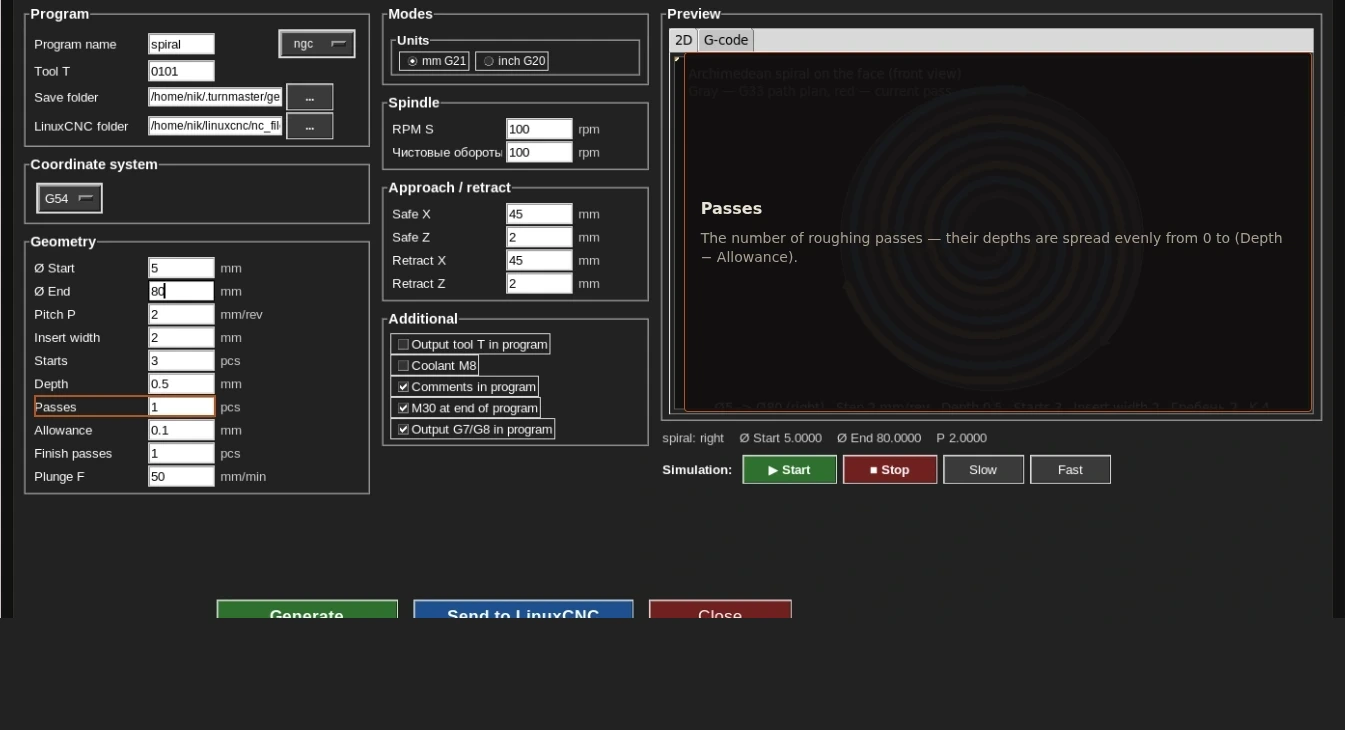
- Interactive help on the site — on every one of the 12 cycle pages (theFeatures section) the form screenshot is clickable.
- Hover and click any field, button, or checkbox — a tip on the right explains what it does. That way you can understand a cycle right in the browser, before installing the program.
12 machining cycles
All features →Turning
The core roughing and finishing cycle for outer-diameter turning
Learn more →Facing
Machining the face of a workpiece down to the required length
Learn more →Threading
External and internal threads: right/left-hand, multi-start, with lead-in and lead-out
Learn more →Taper threading
The same threading capability, applied to a tapered surface
Learn more →Taper
External and internal conical machining
Learn more →Sphere
Spherical and concave profiles, including grooved pulley profiles
Learn more →Groove
Cutting grooves of a given width and depth
Learn more →Drilling
Axial drilling with support for peck feeding
Learn more →Boring
Boring internal diameters
Learn more →Cutoff
Parting off the finished part from the stock
Learn more →Chamfer / radius
A chamfer or radius on any of the four part edges
Learn more →Archimedean spiral
A face spiral thread/groove following the Archimedean spiral
Learn more →